
been: track visited countries
Simple Apps You LoveTravel & Local
4.574.00 Reviews
- Version
- 2.9.4
- Installs
- 1.00M
- Age Rating
- Everyone
Screenshots

Our Review of been: track visited countries
 Analysis by Appyee
I like been: track visited countries most when I treat it as a personal atlas rather than a full travel planner. It gives a satisfying overview of the places I’ve been and a simple way to keep that record current. The idea is modest, and that is both its appeal and its limit: it helps me remember the shape of my travels, but it is not meant to replace a detailed journal, itinerary tool, or booking app.
Using the map as a travel record
The first useful step is to mark places from memory while a trip is still fresh. A world map makes gaps and clusters easy to see in a way that a list of destination names does not. I would also use it before a trip to make a small wish list, then compare those plans with the countries I have actually visited. That turns the map from a one-time novelty into a record I can revisit.
A satisfying overview, not a travel archive
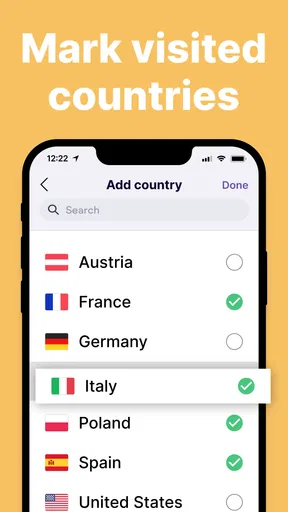
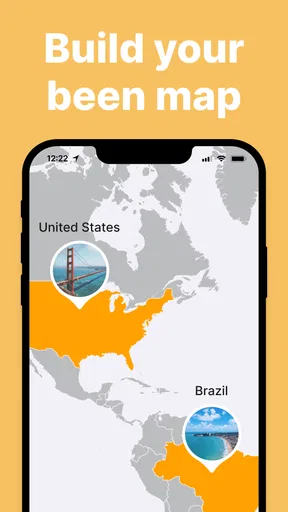
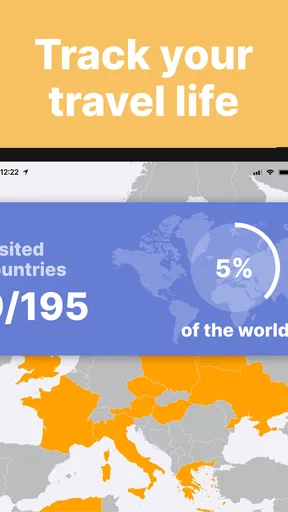
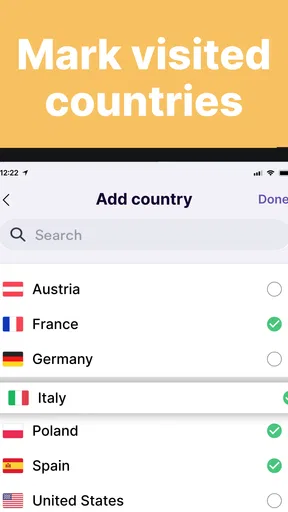
The app’s central interaction is deliberately simple: choose a country on the map and mark it as visited. That makes it quick to build a personal overview, especially for someone who has traveled over many years and no longer has every passport stamp or booking email close at hand. The changing map is more immediate than a spreadsheet, and it gives a visual answer to the question, “Where have I been?”
That overview should not be confused with a complete history. A colored country can tell me that I count it as visited, but not when I went, how long I stayed, who traveled with me, or what I did there. If those details matter, I would keep them somewhere more suited to writing and searching through memories. The map works best as the index to a travel story, not the story itself.
Making the map useful over time
I’d avoid trying to reconstruct every trip in one sitting. Instead, I’d add the places I can recall confidently, then check old photos or travel notes later if I want to fill gaps. This reduces the chance of turning a pleasant memory exercise into a tedious research project. It also gives the map a practical role: a quick visual inventory that can improve gradually.
For trips with several stops, it helps to decide what “visited” means before marking anything. Some people count a country only after spending meaningful time there; others include a brief stopover. Neither definition is universal, so consistency matters more than picking a supposedly correct rule. I’d use the same personal standard each time, particularly if I care about the app’s percentage display.
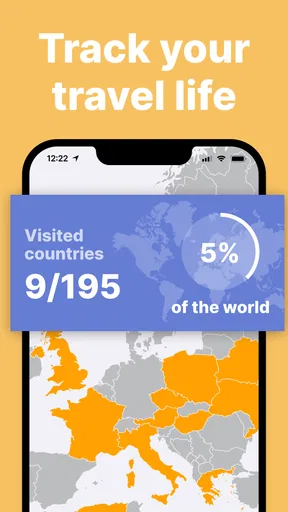
The percentage can be motivating, but I would treat it as a playful snapshot rather than a measure of travel experience. A short visit and a long stay may contribute equally to a country count, while the memories behind them can be completely different. For me, that number is most useful as a prompt to look at the map and remember a trip—not as a score to chase.
Where it fits among travel apps
Compared with a spreadsheet, this is quicker to scan and more enjoyable to show someone, though a spreadsheet is better for dates, costs, and searchable notes. Compared with a photo timeline, the map gives a cleaner global summary but cannot capture the moment behind each image. And compared with itinerary apps, it is useful after the logistics are over rather than while coordinating flights, hotels, and daily plans.
That distinction makes the app easier to judge. I would not choose it to organize a complicated journey or preserve detailed trip records. I would choose it when I want a low-effort visual record that sits alongside those tools. If I already keep a travel journal, the map can complement it; if I want one app to do everything, this narrow focus may feel limiting.
A practical routine for frequent travelers
After returning from a trip, I’d take a minute to update the map while unpacking or sorting photos. That small routine is more reliable than waiting until the end of the year, when short visits and border crossings can blur together. I’d also use separate lists, where relevant, to keep a broad country record distinct from more specific travel goals. The trade-off is that extra lists need a little upkeep; they are useful only if I return to them.
For a family or group trip, I would make clear whose travel history the map represents before sharing it. A shared-looking map can otherwise be ambiguous: one person may have visited a place while another has not. Keeping a personal map personal avoids that confusion, while a shared version can work as a conversation starter if everyone agrees on the same counting rule.
Sharing without losing the context
A map is naturally easy to show to friends, and a color-coded view can start a conversation faster than reading out a list of destinations. I would share it when the point is to give people a broad sense of my travels, not to explain a particular trip. If I want to tell the full story, I’d pair the map with photos or a few written notes elsewhere, since the visual record alone cannot carry those details.
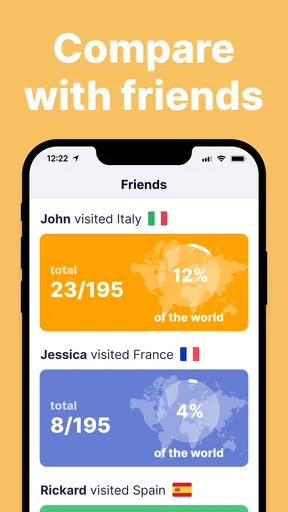
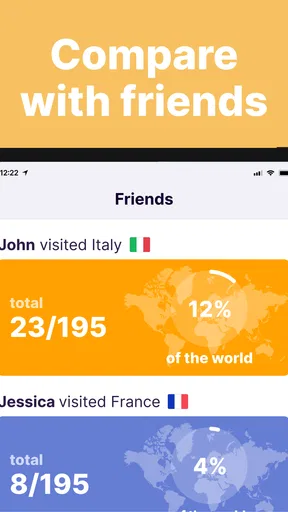
I also see a small social trade-off: a percentage or a colorful map can invite comparisons that miss the point of travel. Someone who has visited fewer countries may have spent more time getting to know each place, while someone with a high count may have made brief stops. I’d use sharing to celebrate memories and spark ideas, not to rank anyone’s experiences.
First impressions
Upon downloading been: track visited countries, I was greeted with a clean and straightforward interface. No clutter, no fuss—just a world map waiting to be explored. The minimalist design is something I really appreciated. Sometimes apps try too hard to impress with flashy graphics, but this one keeps it simple, and in my opinion, that's a plus.
Features That Stand Out
So what does the app actually do? At its core, it's a digital way to keep track of all the countries you've visited. You can tap on a country, and it changes color to show you’ve been there. It's a bit like a digital scratch-off map, but way more interactive. Here are a few features that caught my eye:
- Customizable Maps: You can switch between different map styles, which is a neat touch if you're a bit of a map nerd like me.
- Percentage Tracker: It calculates the percentage of the world you've explored. I found myself trying to figure out how to increase my percentage without booking an expensive flight.
- Multiple Lists: Not only can you track countries, but you can also create separate lists for continents or even cities. Perfect for those who love to dive deep into their travel stats.
As a free travel-and-local app from Simple Apps You Love, it is easy to try without making it the center of my travel setup. Its average rating of 4.5 from around 6,100 ratings and more than 500,000 installs suggest that the straightforward concept resonates with many users, though popularity alone cannot tell me whether its particular approach suits my habits.
User Experience
Using the app is as easy as pie. You navigate the world map with intuitive gestures, zoom in and out, and tap to mark where you’ve been. The app runs smoothly without any hiccups, which is a relief because there's nothing worse than a laggy app when you're in the middle of a travel nostalgia trip. It’s also lightweight, so it won’t eat up your phone’s memory.
One practical question is whether it is suited to someone who wants to use it while traveling or only after returning. I see its strongest use as maintaining a personal record, so there is no need to interrupt a day of sightseeing to update it. A quick check after a trip is enough for the basic map, while travelers who need live navigation, reservations, or schedule changes should keep using dedicated travel tools.
Sharing Your Adventures
If you’re anything like me, sharing your travels with friends and family is half the fun. The app allows you to easily share your map on social media or with individual contacts. The visual appeal of a color-coded world map is bound to get a few likes and comments, fueling your wanderlust even more.
It can also be a useful planning conversation with a travel companion: look at the countries already marked, compare them with places both of you want to see, and choose a destination that feels new to the group. I would still verify the details of any trip in a planning app or directly with providers. The map can help narrow the idea; it is not a source for current travel arrangements.
Who will get the most from it
I’d recommend it to casual travelers who enjoy looking back, people who want a simple visual keepsake, and anyone who likes setting destination goals without needing a complex system. It is especially appealing if a paper scratch map feels cumbersome or if a written list is too dull to revisit. The map gives those travelers a quick, personal snapshot they can update at their own pace.
I’d skip it if my main goal were to document each trip in detail, share a collaborative itinerary, or manage the logistics of travel. It may also be less satisfying if I rarely look at maps or do not care about country counts. The best reason to use it is not that every traveler needs another app, but that this particular visual format makes a record you already want to keep more enjoyable.
Room for Improvement?
While been: track visited countries does a fantastic job of what it's designed for, there are a couple of areas where it could improve. It would be great to see more personalization options, like notes for each country or a journal feature. Imagine being able to jot down a quick memory or favorite food for each place you’ve visited! Additionally, integration with travel apps to automatically update your visited countries could be a game-changer.
That limitation affects how I would organize my travel memories. If I want to remember a meal, a neighborhood, or the reason a particular city mattered, I need a separate place for that richer record. I would not let the country map become my only archive. A simple companion document or photo album can fill the gap without expecting the app to become a journal.
There is also a judgment call around what counts as a country visit, especially for travelers whose routes include short airport stops or border regions. Because a single map cannot explain the circumstances, the marks are most meaningful to the person who created them. I would keep my own definition steady and avoid assuming that another person’s map uses the same criteria.
Availability and value
The app is free to download and is rated for Everyone. It was released on February 20, 2024, and version 2.8.3 supports Android 8.0 and later. Optional in-app purchases range from $2.99 to $129.99 per item, so I would check the purchase details in the app before paying for anything and decide whether the basic map already meets my needs. The free entry point makes it straightforward to assess that for myself.
There are 55 written reviews alongside its broader ratings, which is a reminder that a star average is only one part of the decision. I would focus on whether I actually enjoy updating a map and whether its country-level view matches the way I think about travel. If those habits fit, the concept can be useful; if not, even a polished map will not make me maintain a record I do not want.
Final Thoughts
In a world filled with complex travel apps, been: track visited countries is a breath of fresh air. It's straightforward, effective, and does exactly what it promises. If you're a travel enthusiast or just someone who wants to keep track of your globetrotting adventures, this app is definitely worth a download. It’s not just about marking places on a map; it’s about celebrating your journey and planning new adventures. So go ahead, download it, and start painting your map with memories.
Verdict
Strengths of been: track visited countries
- Intuitive interface for easy navigation.
- Accurate country tracking with maps.
- Customizable trip logs and notes.
- Offline mode for remote areas.
- Social sharing feature for travelers.
Limitations of been: track visited countries
- Limited free features without subscription.
- Occasional map loading delays.
- In-app ads can be intrusive.
- Requires GPS for accurate tracking.
- No integration with travel booking apps.
Similar Picks in This Category
View All
Google Maps
Google LLC3.4

Google Maps Go
Google LLC4.1

Booking.com: Hotels & Travel
Booking.com Hotels & Vacation Rentals4.8

Google Earth
Google LLC3.8

Skyscanner Flights Hotels Cars
Skyscanner Ltd4.8

trivago: Compare hotel prices
trivago N.V.4.4
Frequently Asked Questions
What features does the 'Track Visited Countries' app offer?
The 'Track Visited Countries' app allows users to mark countries they’ve visited, set travel goals, and view personalized travel statistics. It provides interactive maps, travel diaries, and a feature to share travel experiences with friends. The app also includes recommendations for future trips based on past travels.
Is the 'Track Visited Countries' app available on both Android and iOS?
Yes, the app is available on both Android and iOS platforms. Users can download it from the Google Play Store or the Apple App Store. Make sure your device meets the minimum system requirements to ensure optimal performance and accessibility of all features.
Does the app require an internet connection to function?
While the app offers offline functionality for basic features like marking visited countries and viewing maps, an internet connection is required to access advanced features such as travel recommendations, sharing experiences, and syncing data across devices. Offline mode ensures you can still enjoy the app on the go.
Is there a cost associated with downloading or using the app?
The basic version of the 'Track Visited Countries' app is free to download and use. However, there are in-app purchases available for premium features, such as advanced map tools and personalized travel insights. Users can choose to purchase these features individually or subscribe to a premium plan.
How does the app ensure the privacy of my travel data?
The app prioritizes user privacy by implementing robust security measures. Data is encrypted and stored securely, and the app complies with international privacy regulations. Users have control over their data, with options to manage, export, or delete their information at any time. No data is shared with third parties without consent.
